


Pocket Prep Professional 2026
4.5173.00 Reviews
App Specs
- Version
- 3.29.1
- Updated On
- License
- Free
- Downloads
- 100,000+
- Developer
- Pocket Prep, Inc.
- Categories
- Education
- Platform
- Android
Screenshots
 Analysis by AppCompare
When an exam date starts to feel uncomfortably close, I find it easier to study when practice is broken into manageable sessions rather than saved for a long weekend. Pocket Prep Professional 2026 is built around that kind of question-led preparation. It is an education app from Pocket Prep, Inc., with material for professional certification exams, and its main appeal is having practice and mock-test study in one place.
I would treat it as a structured study aid, not as a shortcut or a substitute for learning the subject. Its usefulness depends on whether the exam you are preparing for is covered and whether practicing questions suits the way you learn. For someone balancing work, classes, or family commitments, that distinction matters: a quick session can keep preparation moving, but it cannot replace a careful review of concepts you do not yet understand.
Getting Started with Pocket Prep Professional 2026
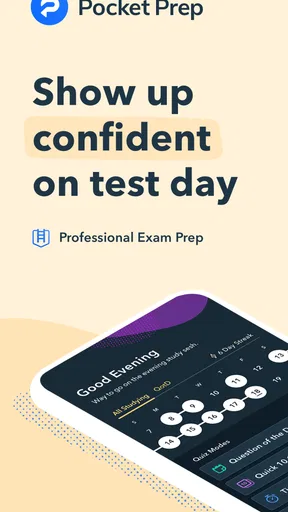
So, first things first, downloading the app is a breeze. Whether you're on Android or iOS, the installation is quick, and you’ll be up and running in no time. Once you open it, the user interface is sleek and intuitive. It’s clear that a lot of thought has gone into making it user-friendly, which is a huge plus when you’re already stressed about your studies.
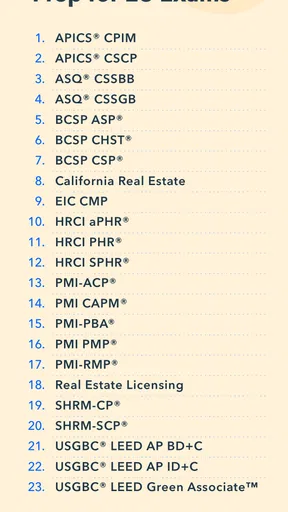
After setting up an account, you’ll be prompted to choose your area of study. Pocket Prep Professional 2026 offers a wide range of exams, from medical certifications to IT certifications, and everything in between. It’s like a buffet of knowledge where you can pick and choose exactly what you need.
It is worth checking that the exact credential and exam you need are available before building your whole revision plan around the app. Professional tests can differ by specialty, exam pathway, and syllabus, even when their names sound similar. I would compare the app’s subject choice with the official exam outline, then use that outline as the checklist for topics that need attention. That small check helps prevent a common mistake: becoming very comfortable with practice questions while overlooking a required area of the actual exam.
The app is free to download, and its age rating is Everyone. Its current version is 3.24.5, and it requires Android 8.0 or later on Android devices. Optional in-app purchases are listed from $20.99 to $124.99 per item, so the free starting point should not be confused with unlimited paid access. I would open the relevant exam area and check what is usable before paying; the right choice depends on whether that specific preparation content matches your needs.
Features that Make a Difference
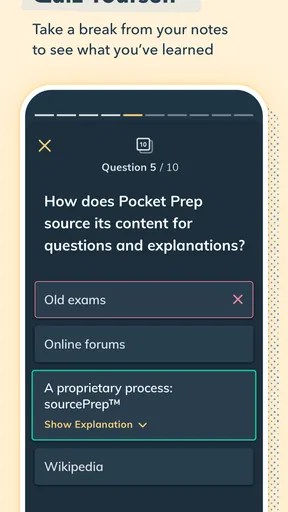
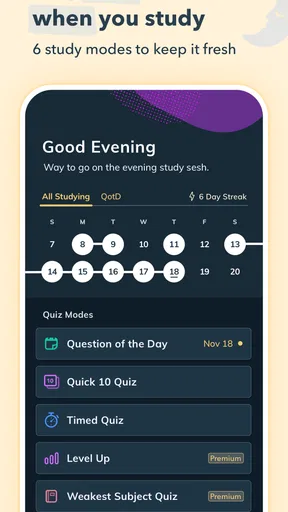
One of the standout features is the customizable practice tests. You can tailor your exams to focus on specific topics or question types. This is super helpful if you’ve identified certain areas where you need more practice. Plus, you can choose the number of questions and the time limit, simulating a real exam environment.
Worth Reading Before You Choose

EA SPORTS FC Mobile 26 Is a Bigger Football Game, but It Takes Time

Flipboard Shows What News Apps Must Do Beyond the Feed

Switching to Android Auto Means Rethinking Your Driving Routine

Google Calendar Makes a Crowded Week Easier to Manage

Ludo King Makes the Most of the Minutes Between Plans

Baby Panda World Brings Quick Play to Modern Phones, but Its Game Library Feels Busy
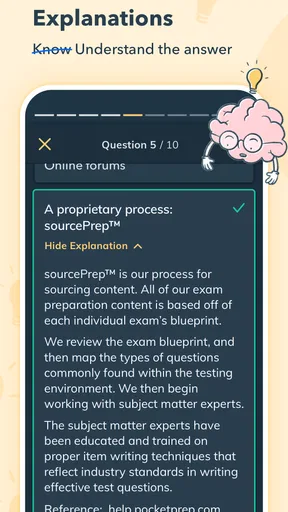
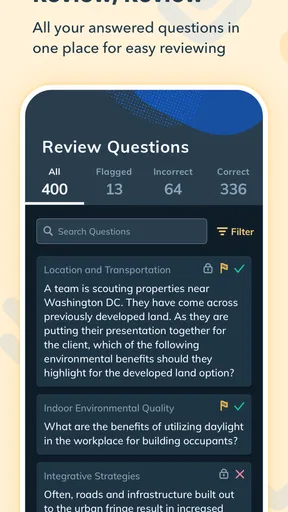
Another cool feature is the detailed explanations provided for each question. When you get a question wrong (and let's face it, we all do), the app doesn't just leave you hanging. It offers a comprehensive explanation, helping you understand your mistake and learn from it.
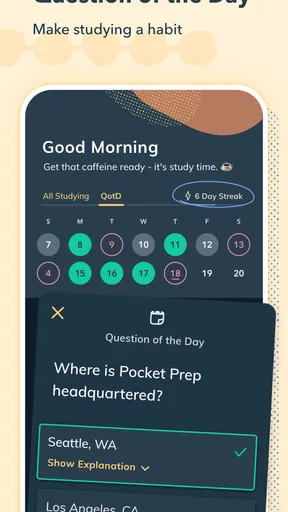
Oh, and did I mention the study reminders? You can set up notifications to remind you to hit the books, making it easier to stay on track with your study schedule.
To get more from practice than a simple score, I would keep a small note of why an answer went wrong: unfamiliar knowledge, misreading, or rushing. Those causes call for different fixes. A weak knowledge area needs a focused review; a misread question calls for slower reading; repeated rushing may mean choosing a shorter timed set until accuracy improves. The explanations are most useful when I connect them to that diagnosis instead of immediately tapping through to the next item.
A realistic routine could be a brief question session during a commute break or between work tasks, followed later by a longer mock test when you can concentrate without interruption. I would avoid treating a rushed, distracted attempt as a meaningful measure of readiness. For timed practice to tell you anything useful, recreate the attention you expect to bring to the real exam and review mistakes while the reasoning is still fresh.
Performance Tracking and Analytics
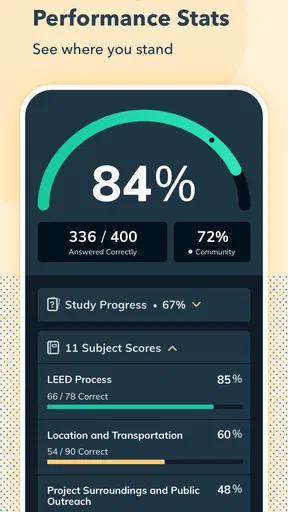
Now, let’s talk data. The app offers in-depth performance tracking that lets you see your progress over time. You get insights into your strengths and weaknesses, which is fantastic for focusing your study efforts. The analytics are easy to understand, and you can even track your progress against other users. It’s like a little friendly competition to keep you motivated.
There’s also a feature where you can earn "achievements" as you progress through your studies. It's a fun way to keep yourself motivated, especially when you unlock a new badge. It's like getting a little high-five for your hard work.
I would use those progress signals as a map, not as a prediction of the exam result. A strong score in familiar practice can reflect recognition of repeated material, while a lower score in a topic you have barely reviewed may simply identify where to start. A better check is whether your reasoning holds up when the questions are mixed and you are not choosing a topic you already know well. That is one reason to alternate focused practice with broader mock-test sessions as preparation develops.
Compared with reading a textbook from cover to cover, question practice gives quicker feedback on what you can retrieve under pressure, but it can leave gaps if you never return to the underlying material. Compared with free notes or informal study groups, a dedicated prep app can make it easier to keep practice organized; the trade-off is that an app’s question set should not be assumed to replace official exam guidance or a trusted reference. I would use those resources together: the exam outline for scope, reading for concepts, and practice for recall and pacing.
The Community and Support
Sometimes, studying can feel like a lonely journey, but with Pocket Prep Professional 2026, you’re not alone. The app has a vibrant community where you can connect with other users. You can share tips, ask questions, or even just vent about your study struggles. It’s nice knowing there are others in the same boat as you.
If you ever run into issues or need some guidance, the app’s support team is top-notch. They’re responsive and genuinely helpful, which makes a big difference when you're knee-deep in exam prep.
For a first-time certification candidate, the practical question is often whether an app alone is enough. I would not make that assumption. If you already have a course, textbook, or official candidate guide, this kind of question practice can complement it by giving you a way to test recall and spot weak subjects. If you are starting from scratch in a demanding field, begin with foundational instruction and use practice alongside it rather than expecting repeated questions to teach every concept in depth.
It may also be a poor fit if your exam is not among the available subjects, if you learn best through lectures or worked examples, or if you need a full course with instructor feedback. In those cases, a subject-specific class or a reference aligned closely with the exam outline may serve you better. Before committing to a paid option, I would confirm that the relevant exam is present and decide how often I will realistically use question practice; paying for material that does not match your schedule or learning style is poor value.
Final Thoughts
All in all, Pocket Prep Professional 2026 is a fantastic tool for anyone preparing for professional exams. It’s packed with features that make studying efficient and even enjoyable. The ability to customize your practice and track your progress in such a detailed way really sets it apart from other study apps.
So, if you’re gearing up for an exam and need a reliable study companion, I’d say give this app a shot. With its comprehensive coverage and user-friendly design, it might just be the edge you need to ace that test. Download it, dive in, and watch your confidence grow as you prep like a pro!
As a quick sense of its reach, it has more than 100,000 installs and an average rating of 4.5 from around 1,800 ratings, with 164 written reviews. Those figures suggest that many learners have tried it, but they cannot tell you whether its questions fit your particular certification. I would give more weight to a few test sessions and a close match with the official syllabus than to popularity alone.
My value judgment is straightforward: the free download makes it reasonable to inspect the app before spending anything, while paid purchases need to earn their place by matching the exam you are taking and the amount of practice you will use. I would not buy on the assumption that every exam area has identical access or that the highest-priced option is automatically the best fit. Check the choices shown for your subject, think about your remaining study time, and choose only if the practice supports a clear plan.
For me, the strongest case is a learner who already knows the broad material, wants repeatable practice, and can turn mistakes into targeted review. Someone who needs foundational teaching, highly individualized instruction, or a resource for a certification that is not covered should look elsewhere or pair this with a more suitable course. Used with realistic expectations, it can make spare moments count; used as the only source of preparation, it risks making familiarity with questions feel like mastery.
Pros
- User-friendly interface for easy navigation.
- Comprehensive question bank for thorough practice.
- Customizable study sessions to fit your schedule.
- Real-time feedback to track your progress.
- Offline access ensures learning anytime.
Cons
- Limited free content; premium needed for full access.
- Occasional app crashes reported by users.
- Some questions lack detailed explanations.
- Requires regular updates for latest content.
- Subscription can be pricey for casual users.
FAQs for Pocket Prep Professional 2026
What is Pocket Prep Professional 2026 and who is it for?
Pocket Prep Professional 2026 is an app designed to help users prepare for a wide range of professional exams. It's ideal for students, professionals, and anyone needing to study for certification tests. The app offers practice questions, detailed explanations, and customizable quizzes to enhance learning and exam readiness.
How does Pocket Prep Professional 2026 improve study efficiency?
The app uses a variety of features to enhance study efficiency, including customizable quizzes, a question of the day, and performance tracking. It adapts to your learning pace, allowing you to focus on areas where you need the most improvement. This targeted approach helps maximize the effectiveness of your study sessions.
Is Pocket Prep Professional 2026 available offline?
Yes, Pocket Prep Professional 2026 offers offline access to many of its features. Once you download the necessary content, you can study without an internet connection. This is particularly useful for users who may not always have access to Wi-Fi or mobile data while preparing for exams.
What types of exams does Pocket Prep Professional 2026 cover?
Pocket Prep Professional 2026 covers a wide array of professional exams, including those in fields like healthcare, IT, finance, and more. The app is continually updated to include new exams and content, ensuring that users have access to the most relevant and up-to-date material for their specific test preparation needs.
Are there any subscription costs or in-app purchases?
Pocket Prep Professional 2026 offers a variety of subscription plans. While the app can be downloaded for free, accessing the full range of features typically requires a paid subscription. These plans often include monthly, quarterly, or yearly options, allowing users to choose the best fit for their study timeline and budget.


